
How to Clean and Maintain Earbuds, Watches and Keyboards
The three things that shorten a gadget life The three things that shorten a gadget life Most earbuds, watches and keyboards do not die suddenly. They wear down slowly, and the wear usually comes from three things: moisture, dust and heat. None of them announce themselves. By the time you notice a
Is guide me se products
Nyvoxa ke actual products — COD, 7-day return aur warranty ke sath.
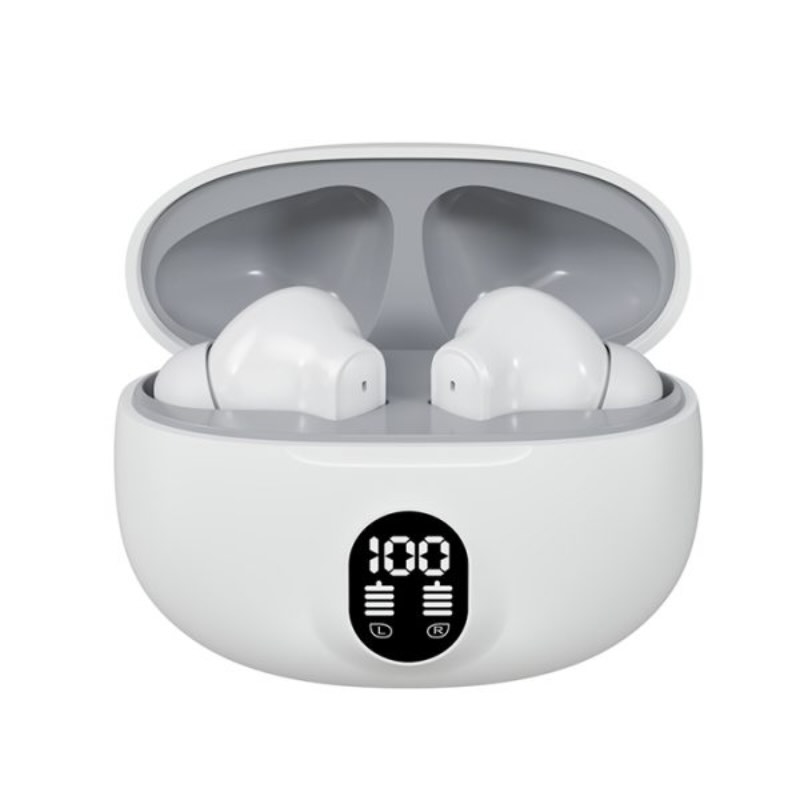
M04 TWS Wireless Earbuds – Bluetooth 5.3, LED Display, Deep Bass & Fast Charging

The three things that shorten a gadget life
The three things that shorten a gadget life
Most earbuds, watches and keyboards do not die suddenly. They wear down slowly, and the wear usually comes from three things: moisture, dust and heat. None of them announce themselves. By the time you notice a problem, the damage is often already done.
Moisture
Moisture is the quietest killer. It gets into earbuds through sweat, rain and the humidity that hangs over Karachi and Lahore for months. Inside, it corrodes the tiny contacts and slowly kills the battery. A smart watch faces the same problem on the back of your wrist. Even a keyboard is not safe - a few drops of chai near the keys, or condensation from a cold room, can reach the board underneath.
The mistake people make is charging a wet device. If your earbuds or watch get wet, wipe them dry and leave them to air out before you plug anything in. Charging pushes current through wet contacts, and that is what finishes the job.
Dust
Dust and lint settle into every gap. In a keyboard, it mixes with skin oil and food crumbs and turns into a paste under the keys. In earbuds, it blocks the mesh and the sound gets muffled, so people turn the volume up and stress the driver. In a watch, dust works into the buttons and the strap joints.
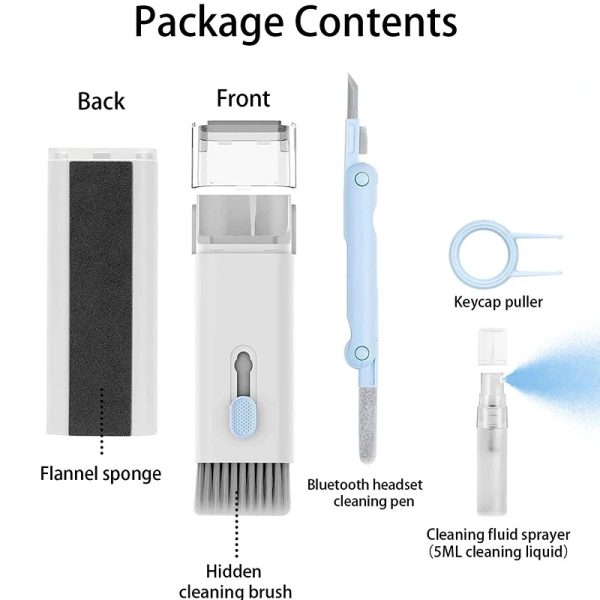
Dust is easy to manage if you deal with it early. A soft brush and a keycap puller will lift out what has built up between the keys, and a dry cloth handles the screen and the earbud mesh. You do not need to open anything.
7-in-1 Keyboard Cleaning Kit | Computer & Laptop Deep-Cleaning Brush Set with Keycap Puller & Screen Wipe" loading="lazy" decoding="async">M10 Damix TWS Wireless Earbuds Bluetooth 5.3 Deep Bass LED Display Fast Charging Waterproof for Android iPhone" loading="lazy" decoding="async">Heat
Heat is the one people ignore. Leaving a watch or earbuds in a parked car, or on a windowsill in direct sun, heats the battery past what it was built for. The battery does not fail that day. It just holds less charge every month, and one day it barely lasts a few hours. The same applies to a laptop keyboard sitting over a hot vent.
Keep gadgets out of direct sun and out of parked cars. That single habit adds months to a battery's life.
Why cleaning causes more damage than leaving it alone
Here is the part most guides skip. A gadget that is left alone usually survives. A gadget that is cleaned badly often does not.
The common mistakes: spraying liquid directly onto a keyboard or screen, using a wet cloth on earbud mesh, pressing hard with a pin or needle to dig out dust, and using sharp metal tools near the charging port. Water goes in, pins scratch the mesh, and ports get bent. All of that is worse than the dust you were trying to remove.
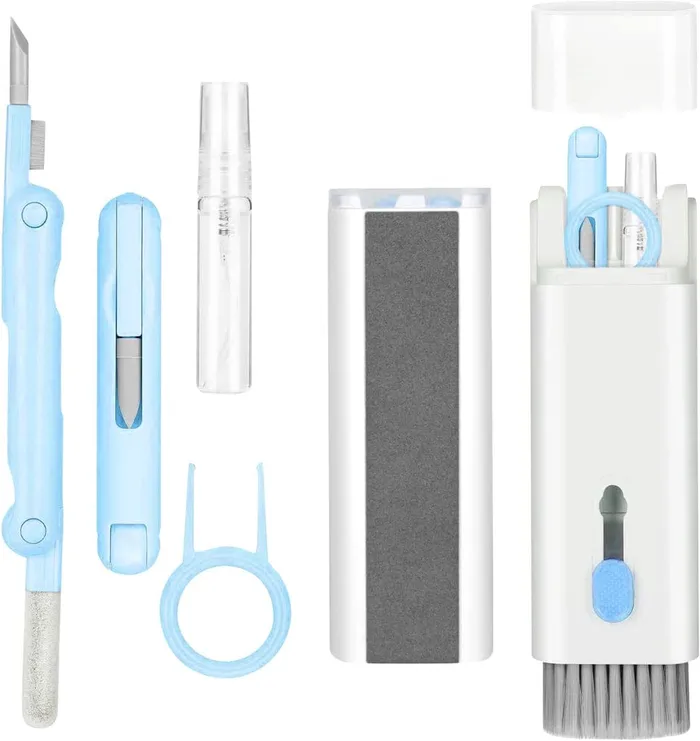
Clean dry, clean gently, and clean often enough that nothing builds up. A dry brush, a soft cloth and a bit of patience are enough. If you want the right tools in one place, the 7-in-1 Keyboard Cleaning Kit at Rs 899 covers brushes, a keycap puller and a screen wipe, and it is worth it if you clean your laptop or keyboard regularly.
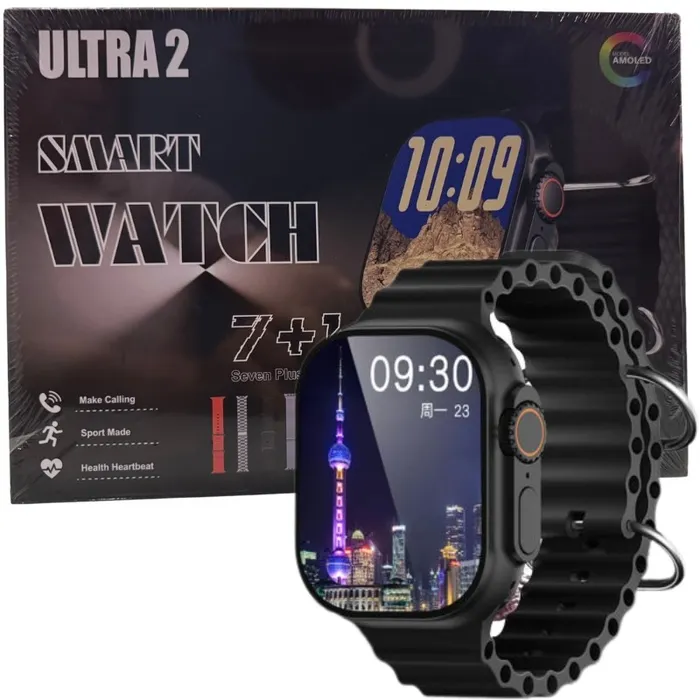
For the gadgets themselves, the Ultra 2 Smart Watch with 7 straps at Rs 2,199 is a sensible pick if you want calling and fitness tracking without spending much. On the earbuds side, the M04 TWS at Rs 1,199 and the M10 Damix TWS at Rs 999 are both currently out of stock, so check back before planning around them.
Cash on Delivery is available nationwide. Delivery takes 2-4 working days in Karachi, Lahore, Islamabad, Faisalabad and Multan, and 3-5 days elsewhere.
Cleaning each one properly
Cleaning each one properly
Dust, sweat and skin oil build up on the things we touch every day. None of it needs harsh chemicals. In most cases, a dry soft brush, a microfibre cloth and a little patience are enough. Here is how to clean each item without damaging it.
Earbuds
Take the silicone tips off and wash them separately in warm water with a drop of dish soap, then let them dry fully before putting them back. For the mesh and the charging pins, use a dry soft-bristled brush or a clean dry toothbrush and brush gently at an angle. Never push a pin, needle or ear bud stick into the nozzle, and never run water over the earbud body itself.
What not to use: alcohol wipes on the mesh, cotton buds pressed hard into the nozzle, or any liquid sprayed directly on the bud. If your buds are the M04 TWS Wireless Earbuds at Rs 1,199, the LED display area should only be wiped with a dry cloth. Note that this model is currently out of stock, so check back or look at what else is available before you plan around it.
The M10 Damix TWS Wireless Earbuds at Rs 999 are also out of stock at the moment. The same cleaning method applies when they are back: dry brush for the mesh, damp cloth for the case, nothing wet near the port.
Watch band and body
Remove the strap from the watch before cleaning. Silicone and TPU straps can be washed with mild soap and warm water, then dried with a cloth. The watch body should only be wiped with a slightly damp microfibre cloth, and the speaker and mic holes cleared with a dry soft brush. Keep the charging contact points dry at all times.
What not to use: hand sanitiser, acetone, thinner, or any abrasive pad. These dull the display coating and crack rubber seals over time. If you own the Ultra 2 Smart Watch 7 Straps 49mm at Rs 2,199, remember that having seven straps means seven things to clean, so wash them in one go rather than one at a time.
Keyboard
Turn the keyboard off and unplug it. Hold it upside down and shake gently, then use a soft brush to sweep between the keys. A keycap puller makes it easy to lift caps on mechanical boards for a deeper clean. Wipe the deck and screen with a dry microfibre cloth, and use a small amount of isopropyl alcohol on the cloth, never poured directly on the keyboard.
What not to use: a wet cloth, a vacuum with a hard nozzle, or compressed air held too close, which pushes dust deeper and can damage switches. The 7-in-1 Keyboard Cleaning Kit at Rs 899 includes a brush set, keycap puller and screen wipe, which covers most of what a laptop or desktop keyboard needs in one purchase.
Cash on Delivery is available nationwide. Delivery takes 2-4 working days in Karachi, Lahore, Islamabad, Faisalabad and Multan, and 3-5 working days elsewhere.
A monthly routine, and when to stop cleaning
A monthly routine, and when to stop cleaning
Most gadgets do not fail because of heavy use. They fail because of dust, oil and moisture that quietly build up over months. A short routine once a month is enough to keep earbuds, watches and keyboards working properly. Here is what actually helps, and what you should leave alone.
The five-minute monthly checklist
- Earbuds: Wipe the outside with a dry microfibre cloth. Use a soft brush on the speaker mesh, then a dry cotton bud around the nozzle. Never push a pin into the mesh.
- Watch: Wipe the screen and back sensors with a slightly damp cloth, then dry. Clean the strap separately, especially silicone ones that collect sweat.
- Keyboard: Turn it upside down and shake gently. Brush between the keys. Wipe the screen and palm rest with a dry cloth.
- Charging points: Check the port for lint. Blow it out, do not scrape it.
That is the whole routine. No sprays, no alcohol on screens, no water near charging ports.
What to skip
Do not use wet wipes on earbud mesh. Do not use compressed air at close range on keyboards, it pushes dust deeper. Do not open a watch case or an earbud shell to clean inside. Do not use toothpaste, vinegar or sanitiser on any screen. These shortcuts cause more damage than the dust you are trying to remove.
Dust you can clean vs a problem you should not poke
Loose dust, fingerprints and light oil are safe to clean. Stop and think if you see any of these:
- One earbud suddenly quieter than the other, even after cleaning.
- A keyboard key that sticks or does not register.
- Watch sensors reading oddly, or the screen flickering.
- Any swelling, smell or heat near a battery.
These are not cleaning issues. Poking at them usually makes things worse. If a device is still under warranty, use it.
Tools that make this easier
A proper kit saves you from improvising with pins and toothbrushes. The 7-in-1 Keyboard Cleaning Kit at Rs 899 includes a keycap puller, brushes and a screen wipe, which covers keyboards, laptops and most of the earbud work too. It is worth it if you clean more than one device.
If you are buying new, clean from day one
New earbuds and watches collect the same dust. Starting the routine early keeps them in better shape. The M04 TWS Wireless Earbuds at Rs 1,199 (reduced from Rs 2,499) and the M10 Damix TWS at Rs 999 are both currently out of stock, so check back rather than ordering blind.
For a watch, the Ultra 2 Smart Watch with 7 straps at Rs 2,199 is the practical pick if you want calling and fitness tracking. Multiple straps also means you can wash one while wearing another, which is the easiest maintenance habit of all.
Cash on Delivery is available nationwide, with delivery in 2-4 working days in Karachi, Lahore, Islamabad, Faisalabad and Multan, and 3-5 days elsewhere.
Related: M04 TWS Wireless Earbuds – Bluetooth 5.3, LED Display, Deep Bass & Fast Charging
Related: Ultra 2 Smart Watch 7 Straps 49mm Bluetooth Calling HD Display Fitness Tracker for iPhone & Android
Aksar poochay jane wale sawalaat
How do I clean earbuds properly?
Take them out, wipe the tips with a dry cloth or a cotton swab barely damp with water, and clear the speaker mesh with a soft brush. Never pour liquid into the bud, and never submerge them.
Why does my watch band get smelly?
Sweat and skin oils build up against the band. Take it off to shower, rinse the band with water, and dry it fully before wearing it again. Most of the problem is moisture trapped between band and wrist.
Can I use compressed air on a keyboard?
For dust between keys, yes, held upright. Do not tilt the can fully upside down, because propellant can spray out as liquid. A cleaning kit with brushes and a puller handles most keys without any of that.