
A Better Desk for Under Rs 3,000: Laptop Stand, Pen and Cleaner
The neck problem, which is the whole point The neck problem, which is the whole point If you work on a laptop for more than an hour a day, you have probably noticed it in your neck before anywhere else. Not a sharp pain usually, just a dull tightness at the back of the neck and across the top of
Is guide me se products
Nyvoxa ke actual products — COD, 7-day return aur warranty ke sath.
The neck problem, which is the whole point
The neck problem, which is the whole point
If you work on a laptop for more than an hour a day, you have probably noticed it in your neck before anywhere else. Not a sharp pain usually, just a dull tightness at the back of the neck and across the top of the shoulders by evening. Most people blame their chair or their posture. The chair is often fine. The real problem is that the laptop is sitting flat on the desk.
Think about the geometry. When a laptop is flat, the screen is low, roughly at the level of your wrists. To look at it, you have to drop your chin and tilt your head forward. Your eyes want to look straight ahead, so your neck bends down to meet the screen. Hold that position for three or four hours and the muscles at the back of your neck are doing constant work just to keep your head from falling forward. That is the tightness you feel at 6pm.
What eye level actually means
The fix is simple in principle: the top of the screen should sit at or slightly below your eye level, so you can look at it without bending your neck. When you are sitting up straight, your eyes should land somewhere in the upper third of the screen. That is the whole target.
A flat laptop cannot get there. The hinge only opens so far, and the base has to stay on the desk for typing. A stand lifts the screen up and tilts it towards you, which brings the display closer to eye level. Your neck stays neutral. You are looking slightly down with your eyes, not bending your whole head forward.
One trade-off to be honest about: once the laptop is raised, the keyboard is also raised, and typing on a lifted keyboard is awkward for long sessions. Most people pair a stand with a separate keyboard and mouse at desk height. If you do not have those, a stand still helps for reading, browsing and video calls, but for heavy typing you will want the external keyboard eventually.
Premium Aluminum Foldable Laptop Stand | Sturdy, Adjustable, Portable | Silver | Nyvoxa" loading="lazy" decoding="async">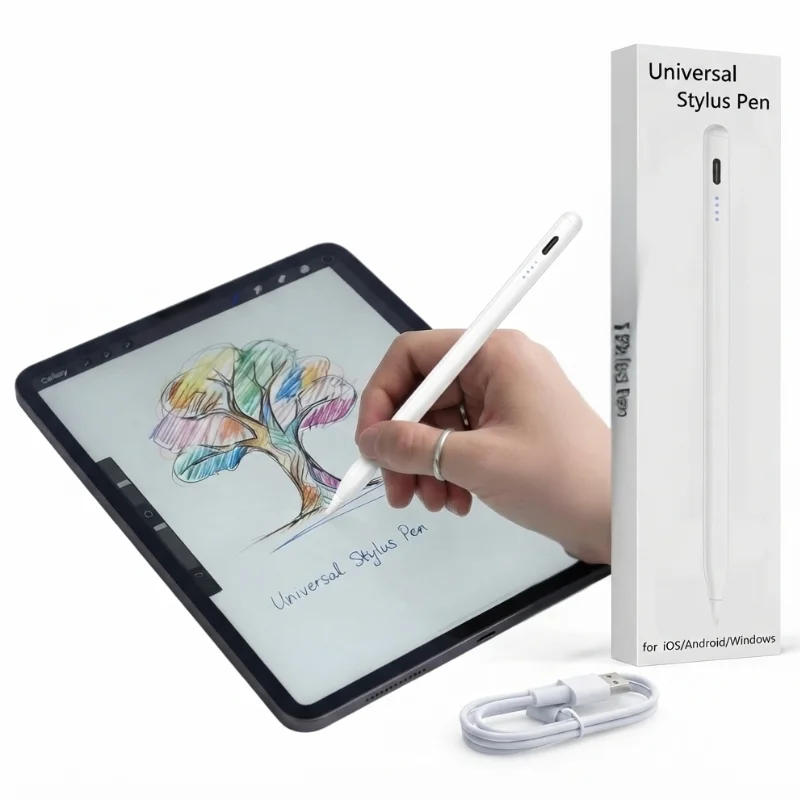 Universal Rechargeable Stylus Pen" loading="lazy" decoding="async">
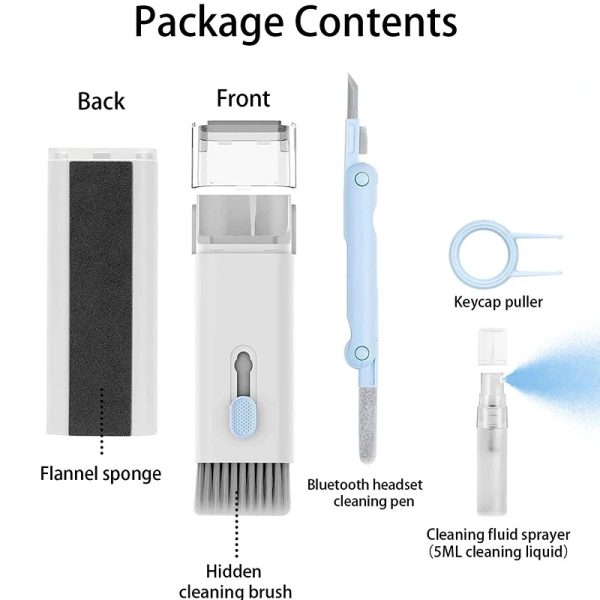 7-in-1 Keyboard Cleaning Kit | Computer & Laptop Deep-Cleaning Brush Set with Keycap Puller & Screen Wipe" loading="lazy" decoding="async">
What to look for in a stand
- Height and angle adjustment. A fixed-height stand only works if it happens to match your desk and chair. Adjustable is better because you can tune it to your own eye level.
- Stability. A stand that wobbles when you type is worse than no stand. Look for a wide base and firm hinges.
- Ventilation. Lifting the laptop off the desk also lets air reach the underside, which helps in our summers.
- Portability. If you carry your laptop between home and office, a foldable stand that fits in the laptop sleeve is worth more than a heavy desktop one.
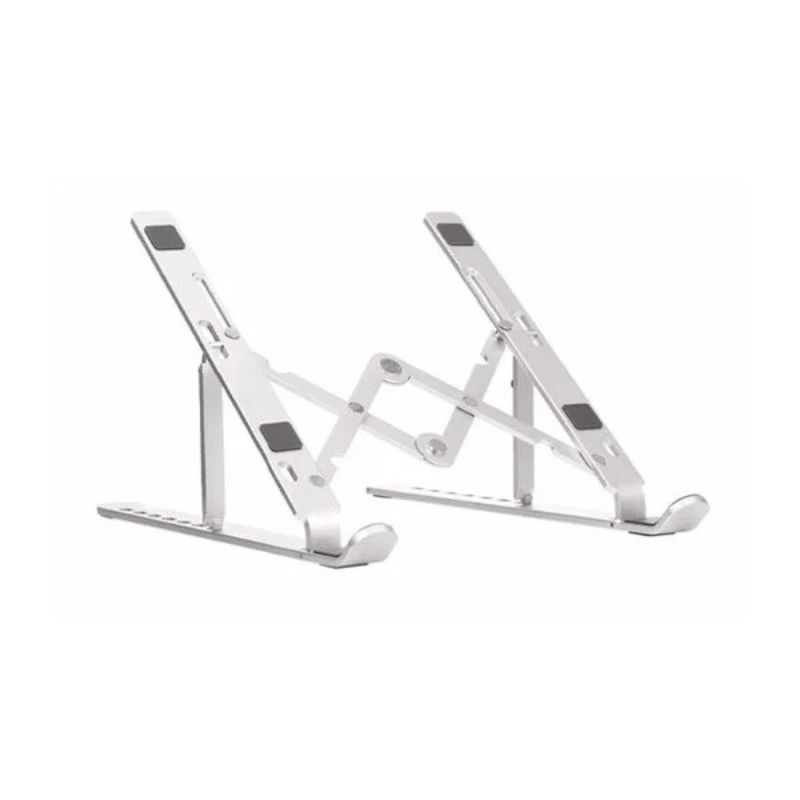
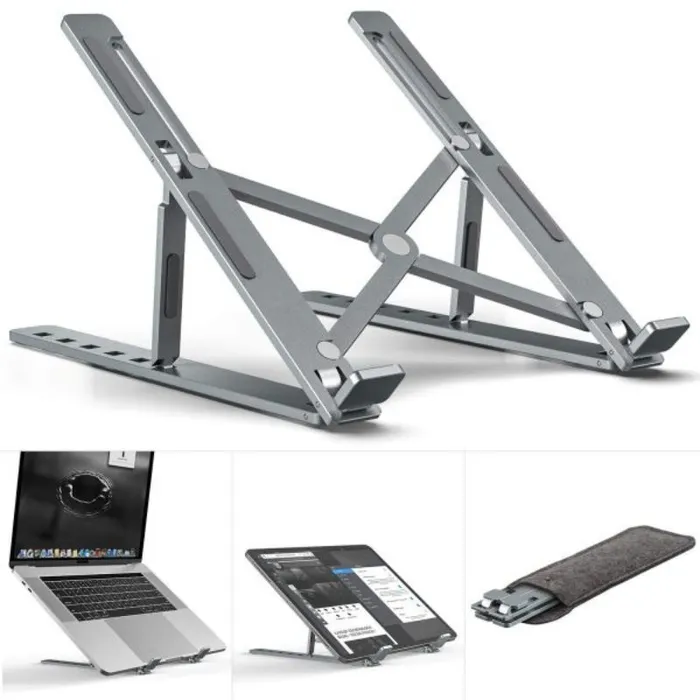
The Premium Aluminum Foldable Laptop Stand at Rs 999 covers all four. Aluminium body, adjustable, folds flat, and it is sturdy enough that typing on the laptop itself does not shake the screen. At this price it is a straightforward buy, and it is the single change that will do the most for your neck.
Two other things worth adding to the same desk setup. If you take notes or mark up documents, the Universal Rechargeable Stylus Pen at Rs 1,699 is useful on touchscreen laptops and tablets, and being rechargeable means no hunting for AAAA batteries. And a 7-in-1 Keyboard Cleaning Kit at Rs 899 is genuinely worth having if you eat at your desk. Crumbs and dust under the keys are a common reason keys start feeling mushy, and a keycap puller lets you clean properly instead of blowing air at the surface.
None of this is complicated. Raise the screen to eye level, keep the keyboard within reach, and your neck stops doing overtime. Cash on Delivery is available nationwide, with delivery in 2-4 working days in Karachi, Lahore, Islamabad, Faisalabad and Multan, and 3-5 days elsewhere.
The three things worth buying, in order of effect
The three things worth buying, in order of effect
Most people try to fix a bad desk by buying more stuff. A new mousepad, a cable organiser, a small lamp. None of that changes how you actually sit or how your screen looks. Three things do, and you can get all three for under Rs 3,000. Here they are, in the order that matters.
1. A laptop stand, because your neck feels it first
If you work on a laptop for more than an hour a day, the screen sits too low. You tilt your head down, your shoulders round forward, and by evening your neck and upper back are stiff. A stand lifts the screen to eye level and fixes most of that in one move.
What to look for: a stable base that does not wobble when you type, and a height you can actually adjust. Foldable aluminium stands are the practical choice here. They are light enough to carry between home and office, and they do not flex under a 15-inch laptop.
The Premium Aluminum Foldable Laptop Stand from Nyvoxa is Rs 999 in silver. It is sturdy, adjustable and portable, which is exactly what this category needs to be. At this price, do not expect a heavy steel desk riser. Expect a slim aluminium stand that folds flat in a bag. For most students and office workers, that is the better trade.
One honest note: a stand raises your screen, but then your keyboard is high up. If you type all day, pair it with an external keyboard when you can. If you mostly read, write short replies or attend calls, the stand alone is fine.
2. A cleaning kit, because dust is quietly ruining your keyboard
Look at the gaps between your keys right now. That mix of dust, crumbs and skin oil is why keys start feeling sticky and why your screen looks cloudy even after you wipe it with a cloth. A dry cloth just smears the oil around.
What to look for: a brush soft enough not to scratch, a keycap puller if you want to clean underneath, and a proper screen wipe rather than tissue.
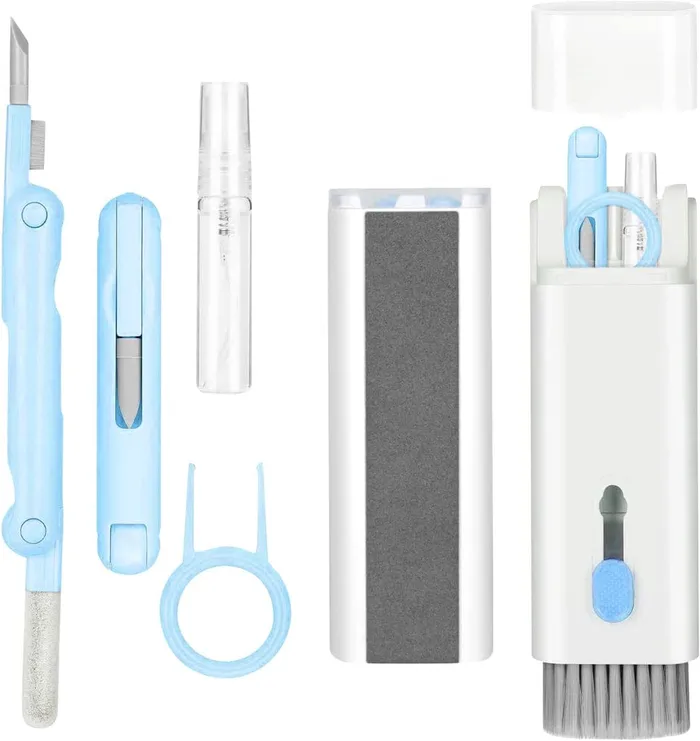
The 7-in-1 Keyboard Cleaning Kit at Rs 899 covers all of it. It is a computer and laptop deep-cleaning brush set with a keycap puller and a screen wipe. This is the cheapest item on the list and the one you will use most often. Five minutes once a week keeps a laptop looking and feeling much newer.
3. A stylus, but only if you have a touchscreen
This one is not for everyone. If you only use a laptop, skip it. But if you have a tablet, or a touchscreen monitor, or you take notes and sketch on a screen, a stylus changes how you use the device. Typing on glass is slow. Writing and drawing on it is not.
What to look for: a rechargeable pen, so you are not hunting for tiny batteries every few weeks, and a universal tip that works across brands rather than locking you into one device.
The Universal Rechargeable Stylus Pen is Rs 1,699. It is the most expensive item here, so buy it last. If you already own a tablet and use it for notes, it earns its place. If you do not, put the money towards the stand instead.
The real total
- Premium Aluminum Foldable Laptop Stand - Rs 999
- 7-in-1 Keyboard Cleaning Kit - Rs 899
- Universal Rechargeable Stylus Pen - Rs 1,699
- Total: Rs 3,597
That is above Rs 3,000, so be clear about what you are buying. The stand and the cleaning kit together come to Rs 1,898, and that pair alone will improve your desk more than anything else at this budget. Add the stylus only if you have a screen that needs it.
All three are available with Cash on Delivery across Pakistan. Delivery is 2-4 working days in Karachi, Lahore, Islamabad, Faisalabad and Multan, and 3-5 working days elsewhere. Check the stock before ordering, since these are simple items that sell out quietly.
Setting it up so it stays put
Setting it up so it stays put
Buying the stand is the easy part. The hard part is placing everything so you are not leaning forward all day or chasing a sliding stand across the desk. Here is how to set up a small desk properly, using the three items in this series.
Start with desk depth, not the stand
Measure the depth of your desk from the front edge to the wall. Most home desks in Pakistan are 45 to 60 cm deep. If yours is on the shorter side, a laptop stand eats into that space fast. You need room for the stand, the laptop screen, and your hands in front of the keyboard.
A simple rule: your eyes should sit roughly at the top third of the screen, and the screen should be about an arm's length away, around 50 to 60 cm. If the desk is too shallow to allow that, push the desk out from the wall a little. It sounds odd, but 10 cm of extra depth fixes more posture problems than any accessory.
Where the keyboard goes
Once the laptop is raised on a stand, its own keyboard is out of reach. That is the trade-off of any stand, and it is worth accepting. Keep a separate keyboard on the desk in front of you, with the laptop screen pushed back. Your wrists should rest flat, elbows near 90 degrees.
If you do not have a separate keyboard, a stand is still useful for video calls and reading, but you will type less comfortably. Be honest about which one you are.
The Premium Aluminum Foldable Laptop Stand at Rs 999 is the right starting point here. Aluminium holds its position better than plastic, and the foldable design means you can adjust the height as your setup changes. At this price, do not expect a heavy weighted base. Expect a light stand that needs a little help staying put, which brings us to the next point.
How to stop a stand sliding
- Wipe the desk and the stand's rubber feet with a damp cloth. Dust is the main reason rubber stops gripping.
- Check that all four feet actually touch the desk. A slight wobble means only two or three are making contact.
- Keep the stand away from the desk edge. Weight near the edge shifts more easily.
- If the surface is glass or very smooth laminate, a thin non-slip mat under the stand helps more than anything else.
- Do not stack the stand on top of a laptop cooler or another stand.
Keep the setup clean
A raised laptop collects dust underneath, and crumbs find their way between keys. The 7-in-1 Keyboard Cleaning Kit at Rs 899 covers the basics: a brush set, a keycap puller, and a screen wipe. If you eat at your desk, this is genuinely worth having. If you do not, a dry microfibre cloth does most of the same job.
For touchscreens and tablets, the Universal Rechargeable Stylus Pen at Rs 1,699 is a reasonable pick if you take notes or sketch. If you only type, skip it. It adds nothing to a laptop-only desk.
Ordering
All three items are in stock and ship across Pakistan with Cash on Delivery, so you pay when the parcel arrives. Delivery is 2 to 4 working days in Karachi, Lahore, Islamabad, Faisalabad and Multan, and 3 to 5 working days elsewhere. Set the desk up first, then order what is actually missing.
Aksar poochay jane wale sawalaat
Does a laptop stand really help?
Yes, for the neck. Raising the screen to eye level means you stop looking down all day. Even Rs 1,000 is a real improvement over working with a laptop flat on a desk.
What kind of laptop stand should I buy?
For a desk, a fixed aluminium stand is more stable than a foldable one and will not slide. Make sure the height actually lifts the screen and that the hinge point matches your laptop.
Will a laptop stand fit my laptop?
Almost all aluminium stands are made for 14 and 15 inch laptops, which covers most machines. Check that the stand has a silicone pad at the slot and that the notch matches your laptop thickness. A stand with a wide base will not tip over while you type.